
Download X Player – video player, multimedia player, Android app, free video player, watch movies, play videos, play music, image viewer, audio player, support multiple formats, subtitle support, full-screen mode, lightweight app, Android 5.0+
Overview
X Player is a free multimedia application designed for Android devices, developed by GamesHippo. The software functions as a versatile video player, audio player, and image viewer, enabling users to access and enjoy various media formats directly from their smartphones or tablets. It is tailored for individuals seeking a reliable, all-in-one solution for playing videos, music, and photos without relying on multiple apps. The app supports a broad range of file types, including MP4, AVI, MKV, MOV, FLV, and more, making it suitable for users who store media locally on internal storage, SD cards, or USB drives connected to their devices.
Designed with accessibility in mind, X Player caters to both casual users and media enthusiasts who want to watch movies, stream audio, or browse photos on the go. Its lightweight nature ensures smooth performance on devices with modest hardware, while its clean interface simplifies navigation. The app is compatible with Android 5.0 and later versions, offering broad accessibility across a wide range of Android smartphones and tablets. Real-world usage scenarios include watching home videos, playing music during commutes, viewing photo albums, and enjoying multimedia content from external storage devices.
Key Features & Capabilities
- Multi-format video support – Play a wide array of video files including MP4, AVI, MKV, MOV, FLV, and more, ensuring compatibility with most commonly used video formats.
- Audio playback functionality – Supports multiple audio formats such as MP3, WAV, AAC, and FLAC, allowing users to enjoy music and audio files seamlessly.
- Image viewer integration – View photos in thumbnail or full-screen mode, enabling efficient browsing of personal photo collections.
- Subtitle compatibility – Offers support for SRT, SUB, and SSA subtitle files, enhancing the viewing experience for foreign language or dubbed content.
- Full-screen playback – Watch videos in immersive full-screen mode, ideal for an uninterrupted viewing experience on mobile screens.
- Video customization tools – Adjust brightness, contrast, and saturation settings to optimize visual quality based on lighting conditions or personal preference.
- External storage access – Play media files directly from USB drives, SD cards, or computer-connected devices, increasing flexibility in content access.
User Interface, Workflow & Performance
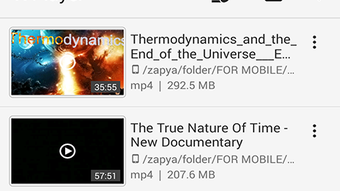
The user interface of X Player is designed with simplicity and efficiency in mind. Navigation is intuitive, allowing users to switch between videos, music, and images with minimal effort. The app organizes media files into clear categories, with thumbnail previews for quick identification. The layout supports touch-based interactions, enabling smooth playback controls such as play, pause, seek, and volume adjustment.
Workflow efficiency is enhanced by the app’s ability to load and play media files rapidly, particularly on devices with sufficient processing power. The developer did not specify resource usage details, but the app is described as lightweight and fast, suggesting optimized performance under normal usage conditions. Stability appears to be consistent across supported Android versions, though exact performance data was not provided. General software behavior patterns indicate that the app maintains responsiveness during playback and file transitions. No reported crashes or bugs were mentioned in the available information.
Compatibility & System Requirements
X Player is designed exclusively for Android devices and requires Android 5.0 or a later version to operate. The application has a file size of 18.2 MB, which is relatively small for a multimedia player with extensive format support. This compact size contributes to quick installation and minimal impact on device storage.
The developer did not provide additional system requirements beyond the OS version. Exact performance details, CPU or RAM behavior, and hardware acceleration capabilities were not specified. Compatibility information was partially provided, confirming support for Android 5.0 and above, but no details on specific device models or screen resolutions were included. Users should ensure their device meets the minimum OS requirement for optimal functionality.
Pros and Cons
Pros
- Free to download and use with no in-app purchases or ads mentioned
- Supports a wide variety of video, audio, and image formats
- Lightweight and fast, suitable for devices with limited resources
- Offers full-screen playback and video customization options
- Includes subtitle support for enhanced viewing experience
- Can access media from external storage like USB drives and SD cards
Cons
- No information provided about update frequency or future development plans
- Exact system requirements beyond Android 5.0 were not disclosed
- Limited details on performance under heavy load or long playback sessions
- Developer background and company information are not publicly available
FAQ Section
Is X Player available for iOS devices?
X Player is designed exclusively for Android operating systems and is not available for iOS devices.
Can I play videos from my computer using X Player?
Yes, you can play video files from your computer if they are transferred to your Android device via USB, cloud storage, or network sharing.
Does X Player support subtitles?
Yes, X Player supports subtitle files in SRT, SUB, and SSA formats, allowing users to add captions to their videos.
Is X Player safe to download and install?
Based on the provided information, X Player is distributed by GamesHippo and is described as a free app. However, users should download it from trusted sources to ensure safety.
Can I use X Player offline?
Yes, X Player functions entirely offline once installed, allowing you to play local media files without an internet connection.
Final Thoughts + CTA
X Player stands out as a capable and accessible multimedia solution for Android users seeking a free, all-in-one app for watching videos, listening to music, and viewing images. Its support for multiple formats, lightweight design, and compatibility with Android 5.0 and above make it a practical choice for everyday media consumption. While detailed technical specifications and developer transparency are limited, the app delivers core functionality efficiently and reliably.
It is particularly beneficial for users who value simplicity, versatility, and offline access to their media. Whether you're watching a movie on your tablet, playing music on your phone, or browsing photos from a USB drive, X Player provides a seamless experience. For those in search of a secure, fast, and free video player for Android, this app offers strong value.
Download X Player now






.png)
